
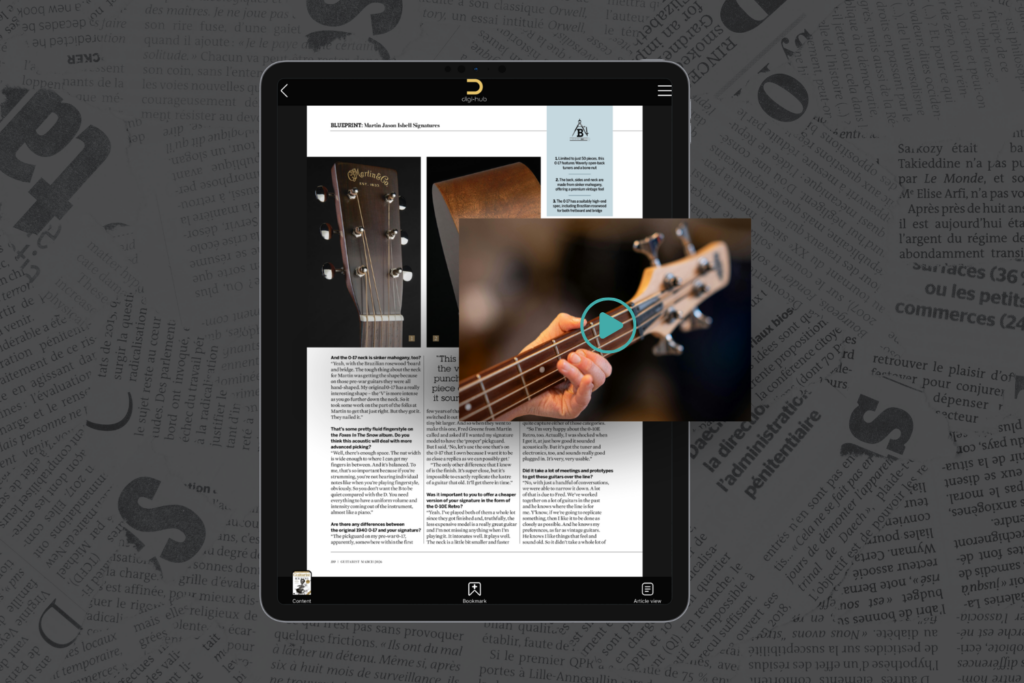
PDFs are everywhere. Reports, brochures, guides, white papers — they’re familiar, portable, and easy to distribute. But let’s be honest: most PDFs are still treated like digital paper. Readers scroll, skim, and often bounce.
Now here’s the interesting part: you don’t need to redesign or reissue the PDF to dramatically improve engagement.
By retrospectively adding video enrichment and image galleries to a digitally offered PDF, you can transform a static document into an interactive, high-engagement experience — without touching the original file.
The Problem With Traditional PDFs
Standard PDFs suffer from a few well-known issues:
- Long blocks of text reduce attention span
- Complex ideas are hard to visualise
- Readers skim instead of absorbing
- Engagement drops sharply after the first few pages
In a digital-first world, readers expect more than static content — especially on mobile.
What Is Retrospective Enrichment?
Retrospective enrichment means layering interactive content on top of an existing PDF after it has already been created.
Instead of editing the PDF itself, readers access it through a digital interface that adds:
- Embedded or linked videos
- Swipeable image galleries
- Contextual visual content tied to specific pages or sections
The original PDF stays exactly the same — but the experience changes completely.
Why Video Instantly Increases Engagement
Video is one of the most effective engagement tools available:
- People retain up to 95% of a message when watching video compared to text
- Video explains complex ideas faster
- It adds tone, emotion, and personality
When videos are contextually linked to PDF sections — for example:
- A short explainer next to a dense paragraph
- A demo video alongside instructions
- A speaker clip linked to a report chapter
…readers stay longer and engage more deeply.
How Image Galleries Improve Understanding
Image galleries do something text alone can’t:
- Show processes step-by-step
- Add visual proof and credibility
- Break up cognitive load
Instead of cramming visuals into the PDF layout (which often hurts readability), galleries can be revealed on demand. Readers choose when to explore deeper, without being overwhelmed.

The Psychology Behind Higher Engagement
Retrospective enrichment works because it aligns with how people actually consume digital content:
- Choice-driven interaction – readers control what they explore
- Reduced friction – no downloads of extra files
- Micro-engagement moments – small interactions keep attention alive
This turns passive reading into active participation.
Real Engagement Gains You Can Expect
Digitally enriched PDFs consistently show:
- Longer session times
- Higher scroll depth
- Increased return visits
- Better comprehension and recall
- Stronger brand perception
In short: readers don’t just open the PDF — they experience it.
Why This Works Especially Well for Existing Content
The biggest win? You’re extending the life of content you already have.
Instead of:
- Redesigning layouts
- Republishing versions
- Asking users to re-download
You simply enhance what’s already in circulation.
This makes retrospective enrichment ideal for:
- White papers
- Magazines
- Reports
- Educational materials
- Sales collateral

Final Thought
PDFs don’t need to be replaced — they need to be reimagined.
By retrospectively adding video and image galleries to digitally offered PDFs, you bridge the gap between static documents and modern digital experiences. The result is content that feels richer, smarter, and far more engaging — without starting from scratch.